intro
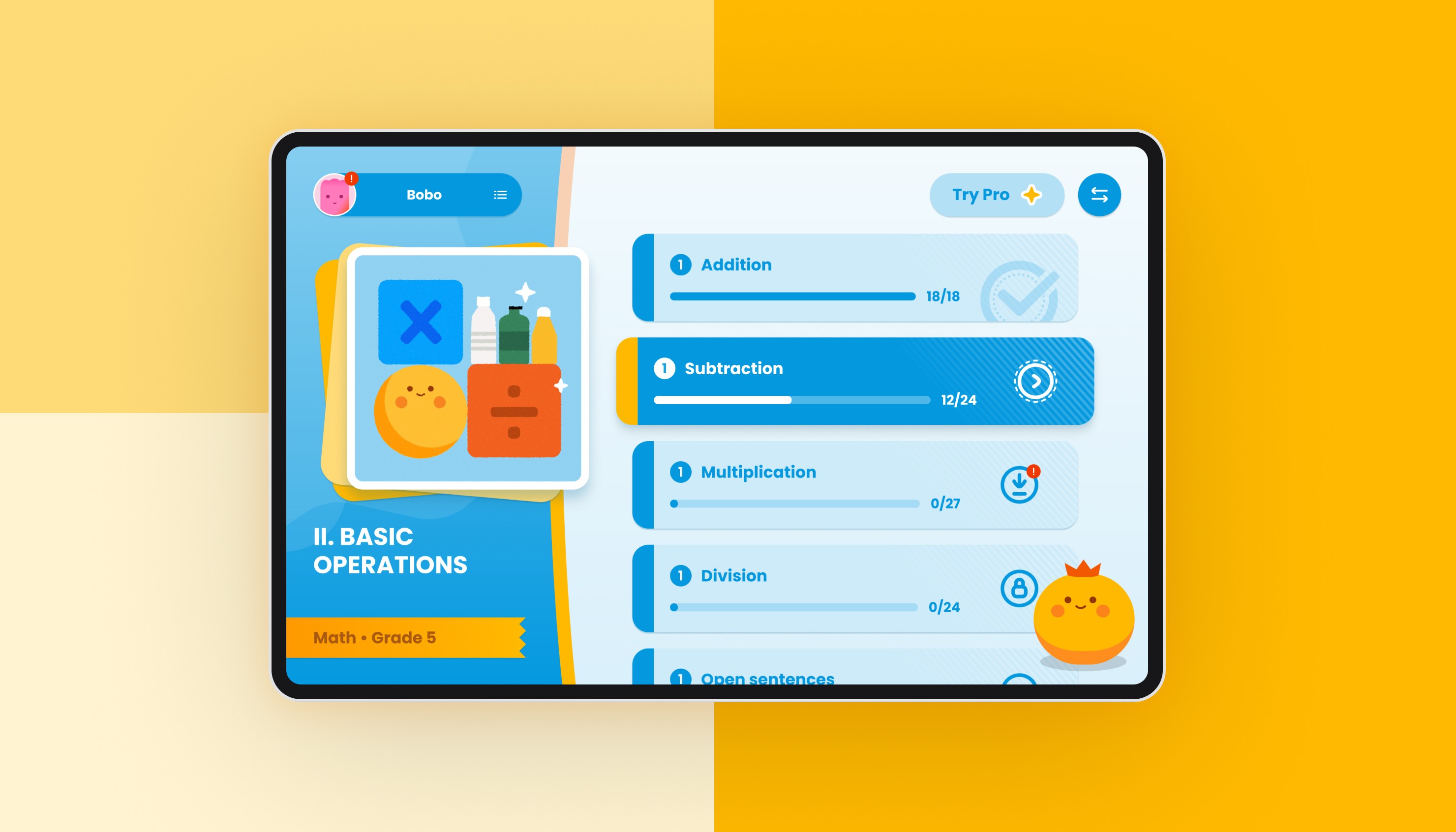
HiTutor 1.0 is an AI learning assistant developed for Transsion Android tablets, targeting students in the African market.
As an internally experimental project, its goal is to leverage AI technology to deliver high-quality educational resources to students at lower cost and with greater efficiency at scale.
Through AI workflow–driven structured course content generation, Socratic-style AI Q&A, and alignment with local curriculum requirements, HiTutor 1.0 helps students receive immediate explanations and feedback during the learning process.
Services
UI/UX Design, Data Visualization, Brand, Research
Year
2025
SCOPE
Strategy
Contributed to product direction and learning system strategy, conducting research to explore how AI could be applied in educational scenarios.
AI System
Designed the interaction model for the AI Tutor, as well as the workflows for generating AI-driven course content and images, enabling AI to integrate naturally into the system.
Design
Responsible for information architecture, learning flow design, UI design, and interaction/motion design, shaping the overall product experience.
STRATEGY
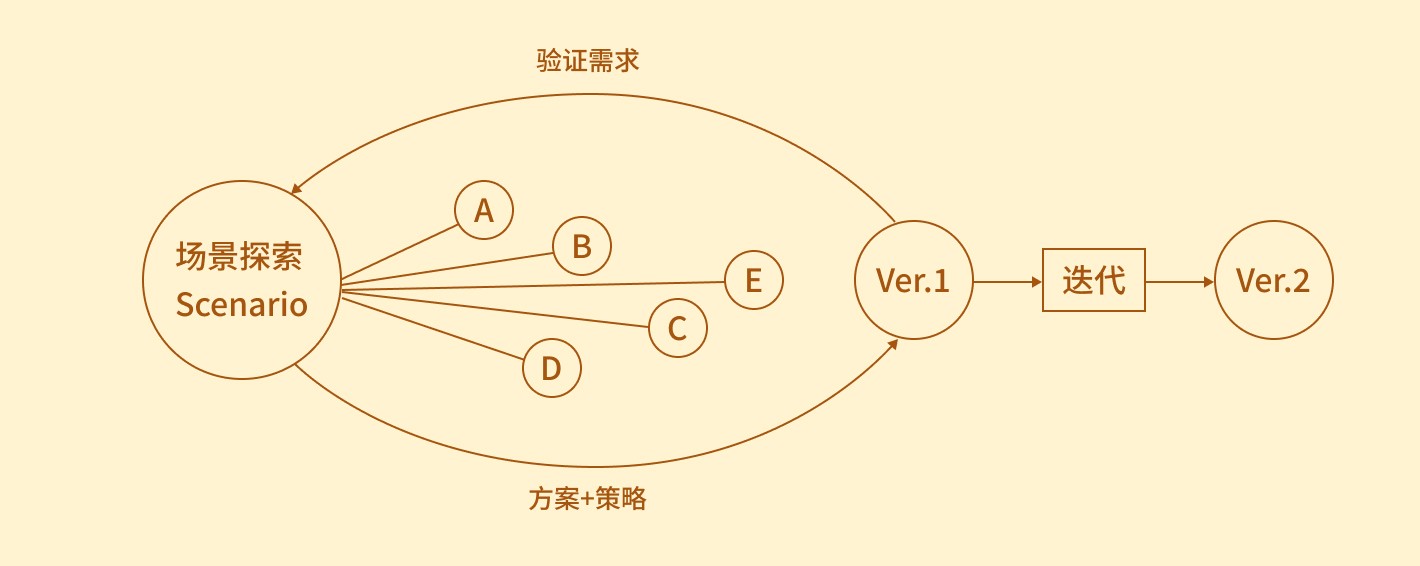
As an experimental project starting from scratch, I proposed a core strategy: first validate the value of AI in learning scenarios, then iterate based on user feedback and gradually expand to other potential applications.
Focus on an AI learning assistant rather than building a complete learning system from the start
Use structured course formats to ensure the quality of AI-generated content
Explore the appropriate role of AI within the learning flow
Validate the AI strategy through field research, and use the insights to guide future iterations
FRAME
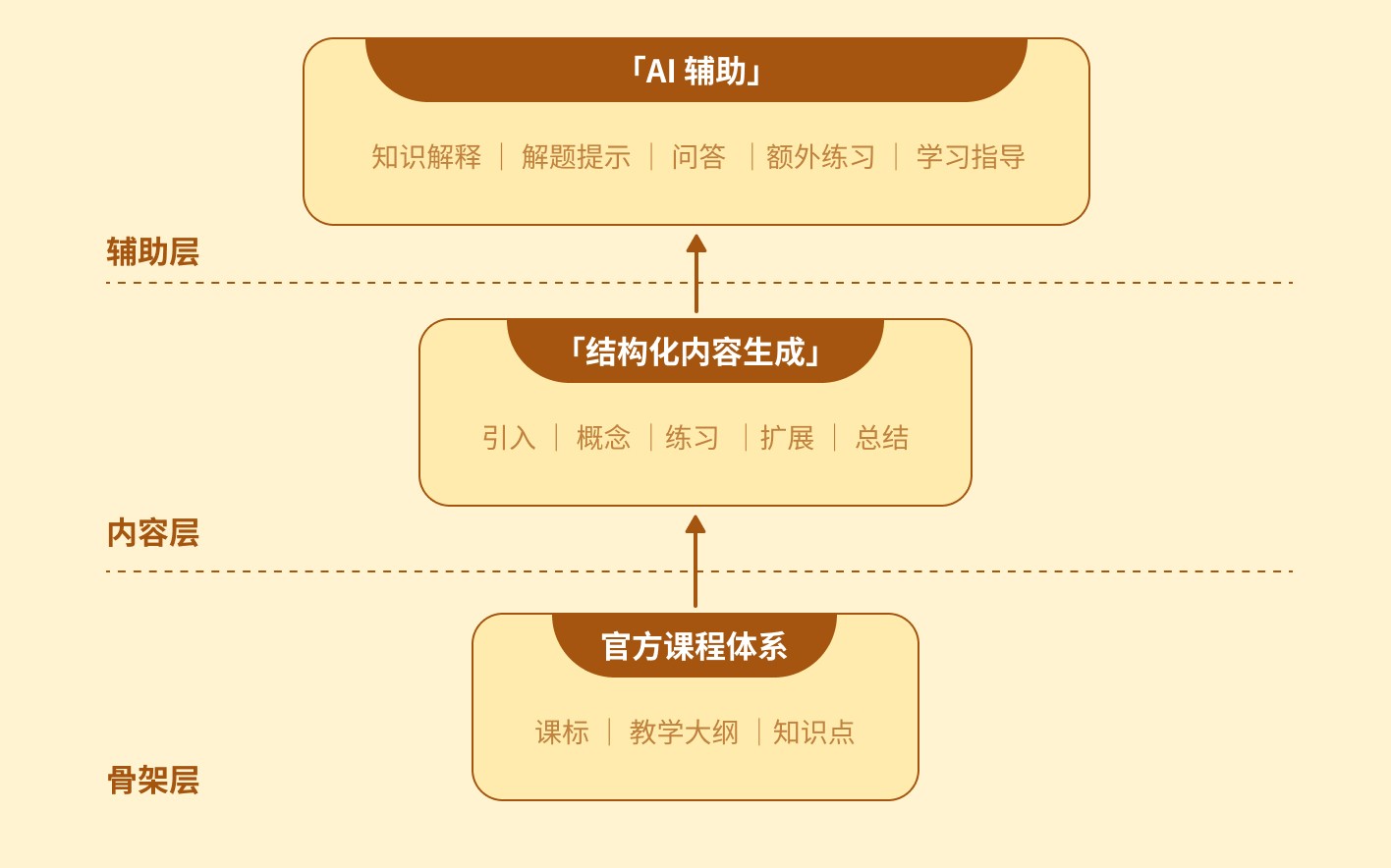
In the 1.0 stage, AI was not used to determine learning paths. Instead, it focused on content generation and learning assistance to maintain the stability of the learning structure.
1. Curriculum as the Content Foundation
To ensure a systematic knowledge structure, we used the official textbook framework as the foundation, aligning with its chapters and knowledge organization. This approach follows educational principles such as the Spiral Curriculum, which emphasizes progressive learning and helps maintain a stable knowledge structure.
2. Product Layer Organizing the Learning Experience
On top of the curriculum structure, I designed a clear course structure and learning flow (Learn → Practice → Feedback), enabling students to understand concepts, reinforce them through practice, and receive timely feedback, forming a complete learning experience.
3. AI as an Assistance Layer
AI does not replace the course structure but supports the learning process by providing explanations, hints, and additional practice. Given limited research resources and team capacity, this structure allowed us to quickly build a reliable content system while focusing more effort on AI capabilities and learning experience design.
CONTENT generation
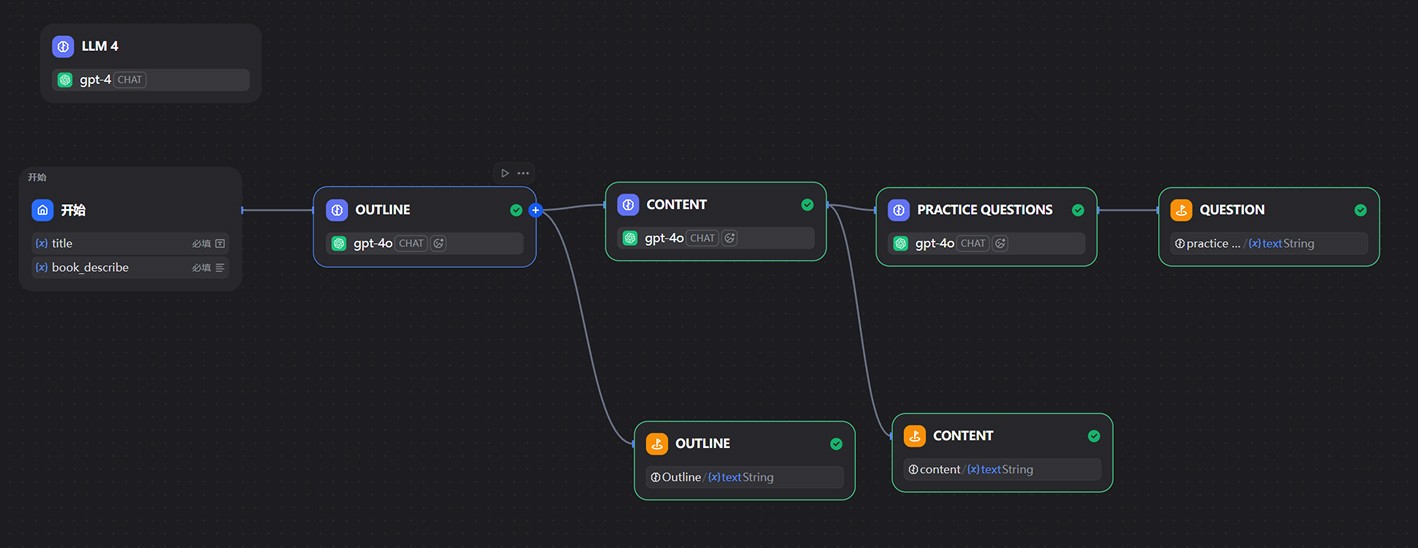
I designed a complete content generation workflow that rapidly produces course materials through a combination of textbook structure, course template prompts, and an AI workflow, balancing content quality and production efficiency. This allowed the team to quickly build a usable learning content system despite limited instructional resources.
The workflow begins by using official textbooks as the content backbone, extracting structures such as grade, unit, chapter, and knowledge points to ensure a clear and systematic knowledge framework.
Next, I defined standardized course templates and prompt specifications, outlining the required modules for each lesson—such as concept explanations, examples, and practice exercises—providing stable structural constraints for AI generation.
Finally, the AI workflow automatically generates the lesson explanations and practice content based on these templates, with simple rule-based checks and adjustments to ensure basic quality and consistency.
IMG GENERATION
For course illustration generation, I conducted extensive research and experimentation across multiple image generation models, evaluating them based on stability, consistency, and style control. After comprehensive assessment, GPT-4o was selected as the base model for large-scale course image generation and integrated into an automated workflow.
In practice, I built an image generation workflow where the system first analyzes the lesson content to extract key scenes and visual elements, then automatically generates corresponding prompts. The workflow then calls GPT-4o to produce images, enabling the batch generation of illustrations aligned with the course content.

Market and User Research
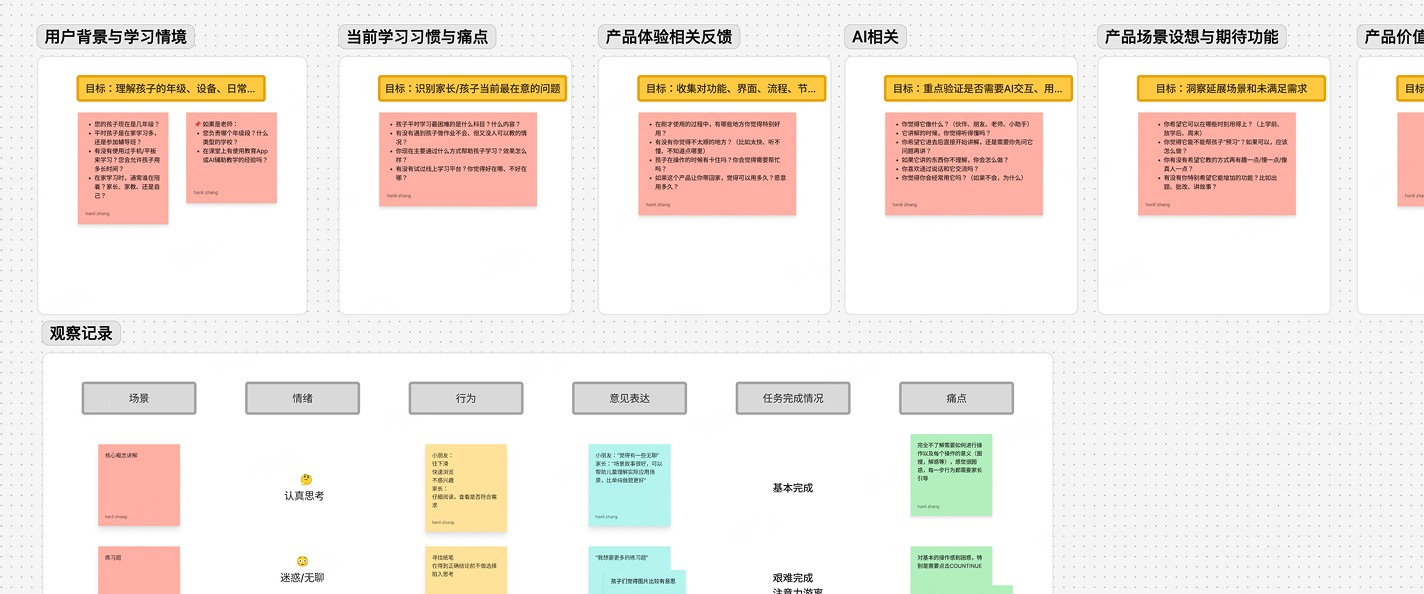
In the early stage of the product, we adopted an “AI-first, validation later” strategy: rapidly building an AI learning prototype and then validating product assumptions through field research.
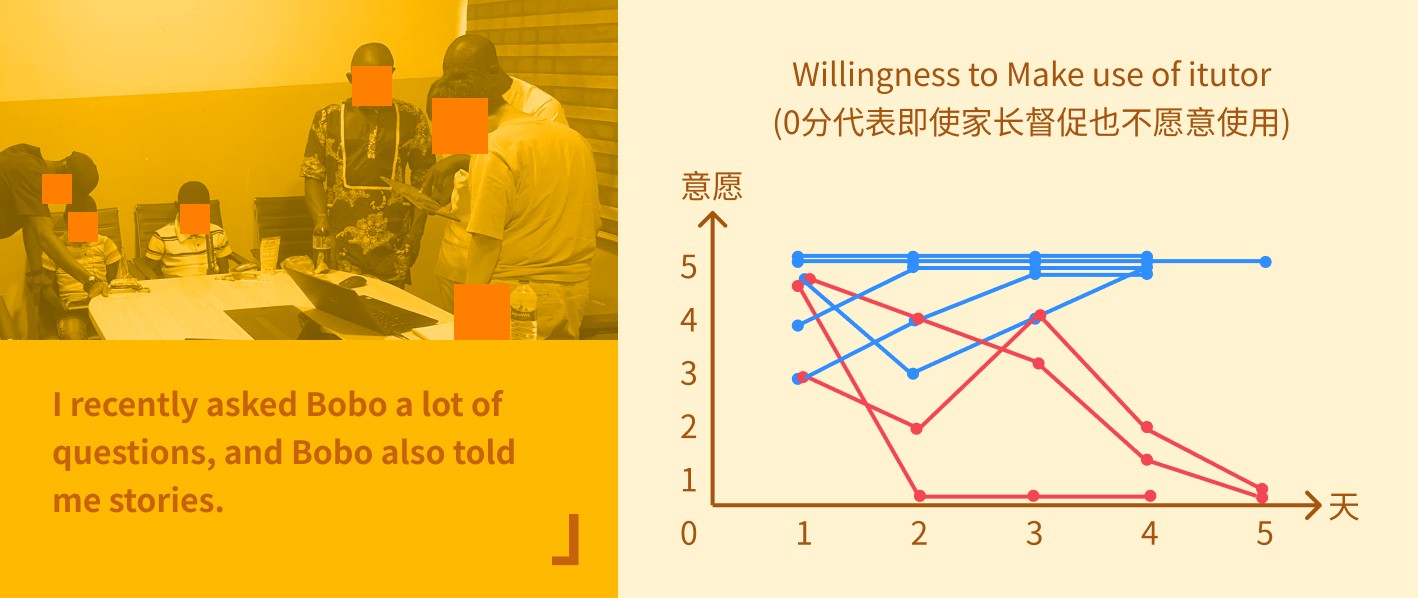
The team conducted visits to local schools and families, combining user interviews, A/B testing, and behavioral tracking to analyze real user experiences and key pain points. The findings showed a clear polarization in user acceptance:
Younger students (Grades 1–3) showed a rapid decline in willingness to use the product
Older students maintained sustained interest in AI-assisted learning
INSIGHT
Conflicting Needs Between Parents and Students
Parents tend to prioritize alignment with textbooks and learning outcomes, while students prefer a more relaxed and engaging learning experience.Control Over the Learning Process Affects Engagement
Students generally enjoy the interactive Q&A experience of the AI Tutor, but show less interest in a traditional “class-style” learning flow. This suggests that control and flexibility in the learning process significantly influence the user experience.Personalization as the Next Key Direction
Students have diverse learning needs and pacing, making personalized learning paths a key focus for the next version of the product.
VISUAL
Color serves as the emotional language of the interface and a foundation for establishing visual hierarchy.
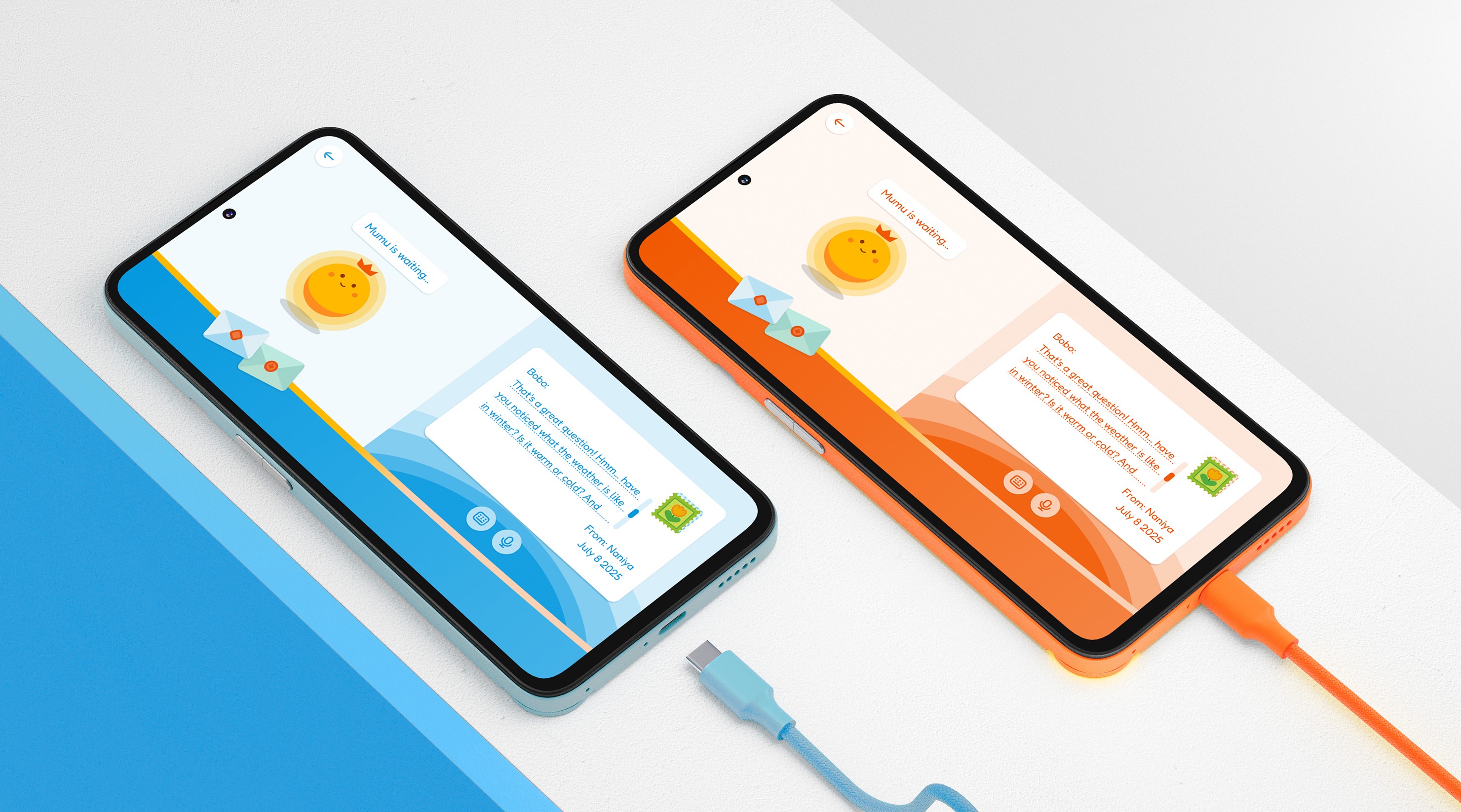
Instead of using a traditional color system built on extensive color scales or gradients, this project introduces a dynamic color system based on opacity logic. This approach maintains overall visual consistency while offering greater flexibility to adapt to different subject themes.
Each subject is assigned a distinct theme color, while interface hierarchy, states, and atmosphere are created through variations in opacity. Compared with traditional gradient-based systems, this method reduces complex color matrices, resulting in a clearer and lighter color structure while maintaining consistent design logic across multiple themes.


In children’s educational products, typography must balance readability, recognizability, and emotional friendliness to support students’ visual and cognitive experience across different learning stages.
Fredoka retains a handwritten stroke character with full, rounded letterforms and a rhythmic feel. Its natural playfulness combined with strong readability makes it well suited for reading scenarios for children in Grades 1–6.
Poppins is used for headings and emphasized text. Its clean geometric structure and modernist style convey a sense of rationality and international design, aligning with the brand’s vision of modern education.
Considering the development of early reading abilities, both body text and headings use larger font sizes to prioritize clarity and contrast. Very light or thin weights are avoided to improve legibility and reading comfort.
AI CHARACTER
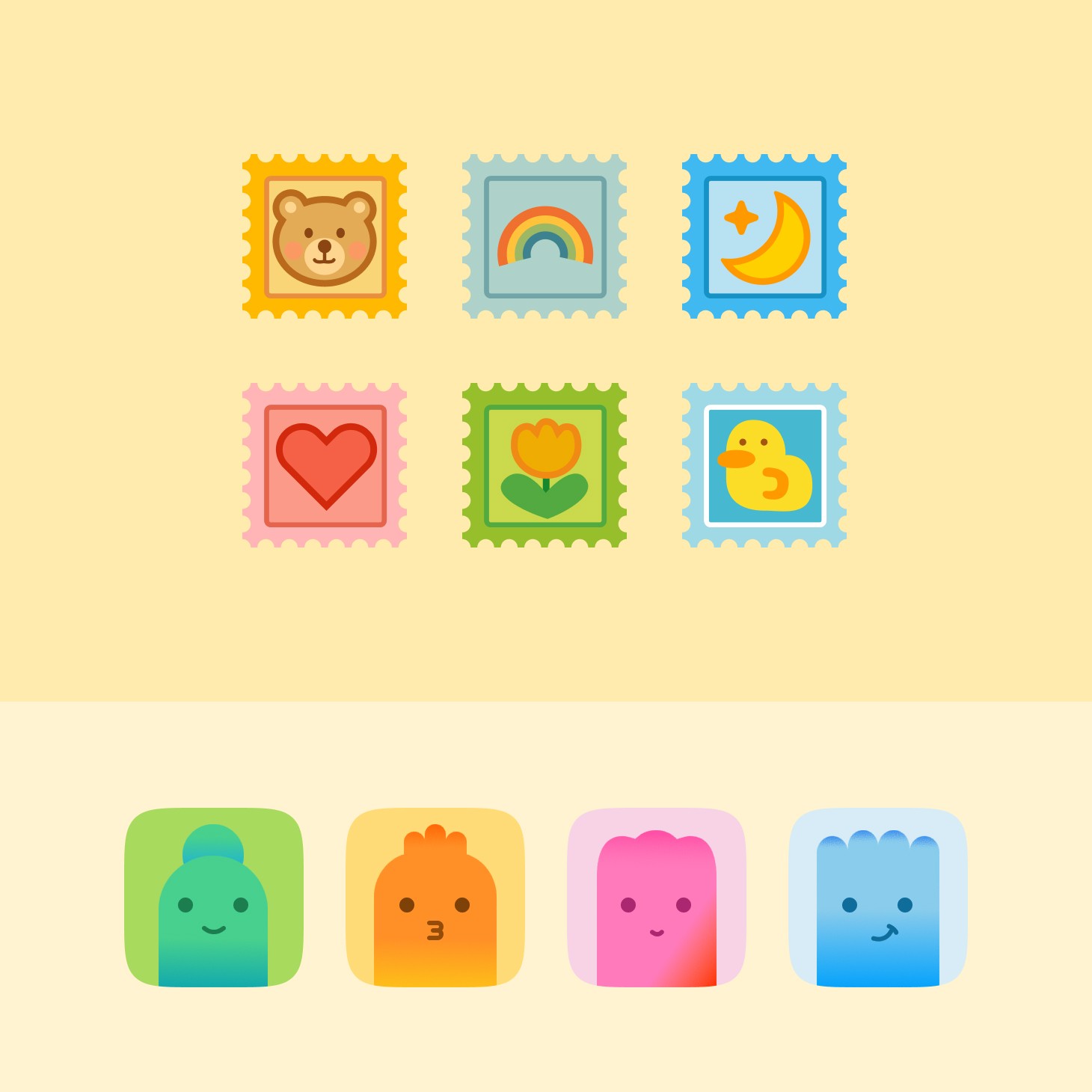
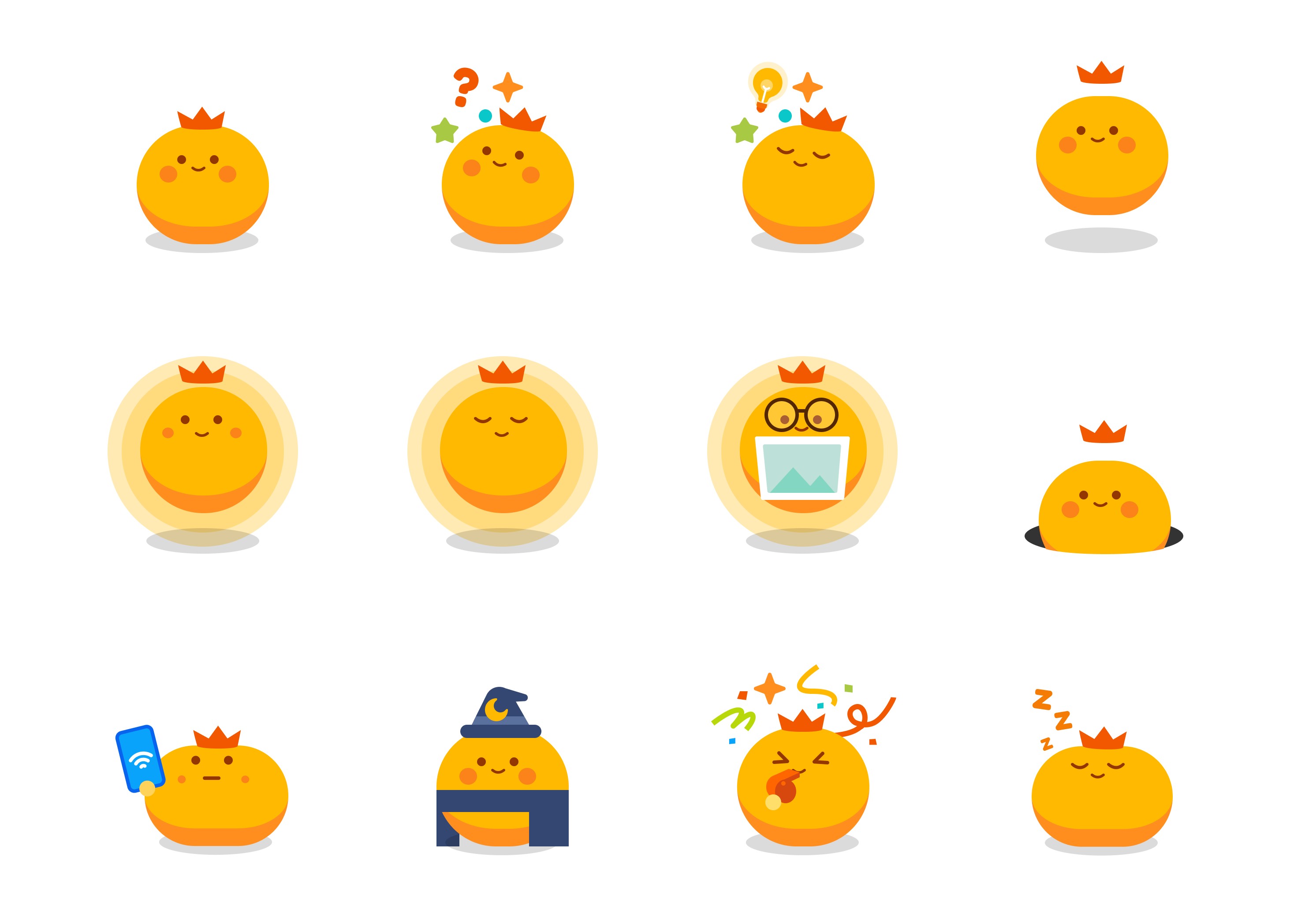
The design of the AI character is based on the characteristics of the target users defined in the user personas. The overall style emphasizes being natural, cute, and playful, aiming to create a more approachable visual presence. This helps reduce the psychological distance between students and the AI during interactions, while increasing engagement and enjoyment throughout the learning process.

MOTION / delivery
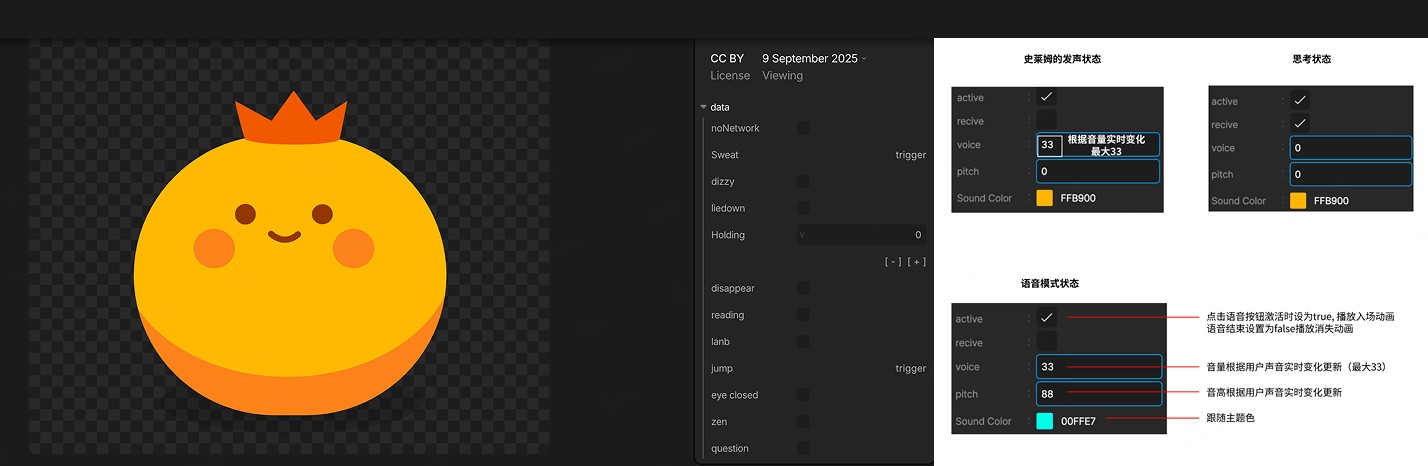
Motion design must not only create visual highlights but also remain practical for implementation.
After evaluating multiple options, Rive was selected as the primary tool for motion design and delivery.
Compared with traditional solutions such as Lottie or After Effects, Rive offers greater flexibility and provides a state machine system that aligns more closely with development logic. This allows interaction states to be driven directly, significantly reducing implementation complexity and lowering the development workload by over 90%.
In later iterations, interactive mini-games—such as clock adjustment, number filling, and abacus interactions—were also produced and delivered directly through Rive.
" height="180.00022979945265px" id="jozbPtP7M" transform="translate(0 0)" width="175.6359417878117px"/><path d="M 21.797 5.252 C 24.075 7.617 26.163 10.27 27.182 13.39 C 28.201 16.511 28.001 20.172 26.013 22.781 C 19.223 31.68 7.274 24.978 2.58 17.419 C -6.568 2.697 10.701 -6.274 21.797 5.252 Z" fill="rgb(244, 60, 23)" height="27.027261382472247px" id="XghBv9guO" transform="translate(76.947 77.633)" width="27.78440265333664px"/></svg>)
design system / Component Library
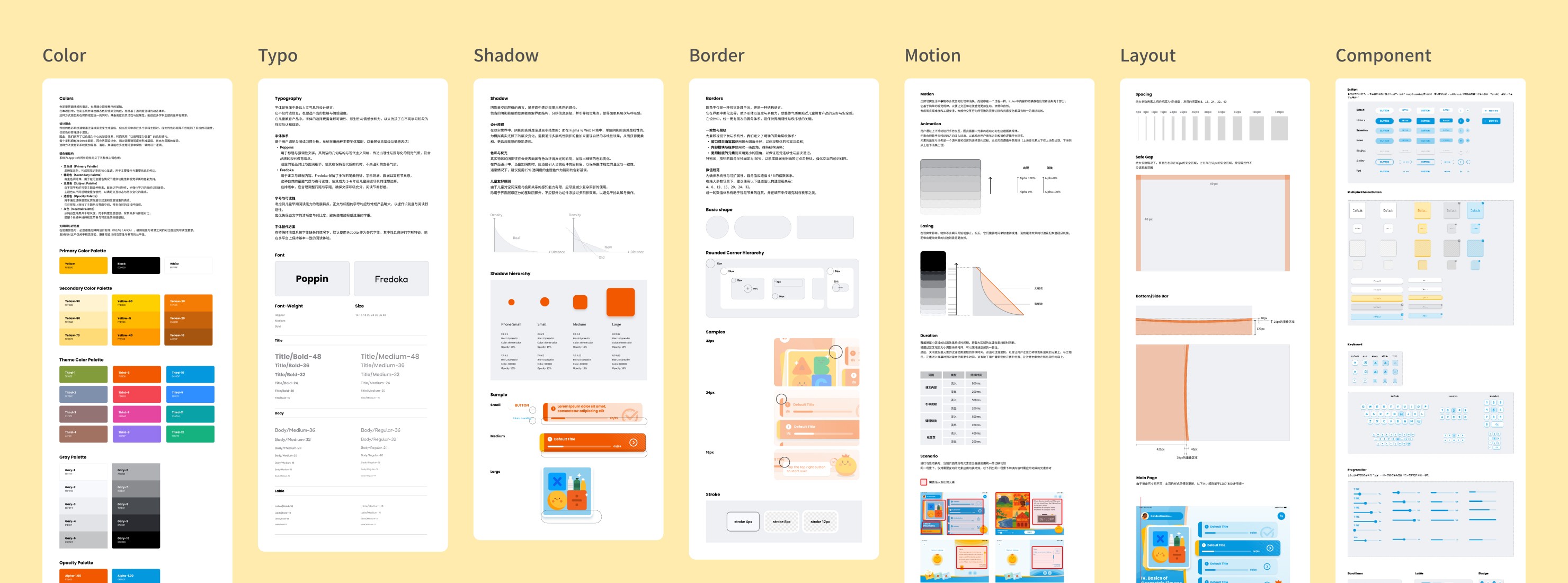
Built a component library based on project requirements to streamline both design and development workflows.
Also documented adaptation and design guidelines to improve consistency and usability in implementation.
OUTCOME